
Download MyBank – mobile banking, finance management, account overview, bill payment, money transfer, eFaktura approval, transaction tracking
Overview
MyBank is a mobile banking application developed by SDC AS, designed to simplify financial management for users on Android devices. Positioned within the Business & Productivity category, the app aims to streamline daily financial tasks by offering a centralized platform for account oversight and transaction control. Its core purpose is to enable users to manage personal or business finances efficiently, particularly through on-the-go access to banking functions.
The app supports essential operations such as viewing account balances, tracking recent transactions, and planning future payments to avoid missed deadlines. Users can also perform money transfers between accounts and pay bills with minimal effort. A notable feature is the ability to approve eFaktura documents, which supports digital invoicing workflows.
While the developer did not provide additional details about the target user base, the app’s functionality suggests it is suitable for individuals and small business owners seeking a straightforward digital banking experience. Real-world use cases include monitoring cash flow, managing recurring payments, and maintaining financial transparency across multiple accounts. The app is available at no cost, making it accessible for users who prioritize affordability without compromising core banking functionality.
Key Features & Capabilities
- Account Overview – Provides a real-time snapshot of account balances and recent transaction history, enabling users to monitor financial activity at a glance.
- Bill Payment – Allows users to schedule and execute payments for recurring or one-time bills with minimal steps, reducing the risk of late payments.
- Money Transfer – Facilitates quick and secure transfers between linked accounts, ideal for managing funds across different financial instruments.
- eFaktura Approval – Enables users to review and approve electronic invoices directly through the app, supporting digital workflow integration.
- Transaction Tracking – Offers a detailed log of all financial movements, helping users maintain accurate records and identify spending patterns.
- Future Payments Overview – Displays upcoming payment dates, helping users plan their finances and avoid missed deadlines.
These features collectively support efficient financial oversight and proactive money management. For instance, a small business owner can use the app to monitor cash flow, approve incoming invoices, and schedule vendor payments—all from a single interface. Similarly, an individual managing personal finances can track spending, set reminders for upcoming bills, and ensure timely transfers.
The integration of eFaktura approval adds a layer of operational efficiency for users engaged in digital invoicing. While specific technical details about backend processes or security protocols were not disclosed, the app’s focus on usability and functionality aligns with standard mobile banking expectations. The absence of complex setup steps suggests a streamlined user experience tailored for practical, everyday use.
User Interface, Workflow & Performance
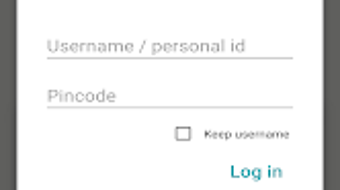
MyBank features a clean, intuitive interface optimized for mobile interaction on Android devices. Navigation is structured around core financial actions, with primary functions such as account overview, bill payment, and transaction tracking accessible via clearly labeled menus or icons. The workflow for common tasks—like transferring funds or approving an eFaktura—is designed to minimize steps, enhancing usability for users of varying technical proficiency.
The app’s layout prioritizes readability, with transaction lists presented in chronological order and balance summaries displayed prominently. While performance details were not specified by the developer, general patterns in mobile banking applications suggest consistent responsiveness under normal usage conditions. The app’s size of 18.5 MB indicates a lightweight footprint, which may contribute to efficient loading times and minimal storage impact.
However, exact resource usage such as CPU or RAM behavior was not provided. Stability during prolonged use or under network fluctuations was not documented. Users should expect standard performance typical of well-optimized Android applications, though real-world behavior may vary depending on device specifications and network conditions.
Compatibility & System Requirements
MyBank is designed for Android operating systems, with version 2.3.2 currently available. The application has a file size of 18.5 MB, which suggests it is optimized for devices with moderate storage capacity. The developer did not specify exact system requirements, such as minimum RAM, processor speed, or Android version compatibility beyond the platform.
As a result, compatibility information is limited to the provided OS and version. Users should ensure their device runs a supported Android version, though the exact minimum version was not listed. Installation is straightforward, with no additional dependencies mentioned.
The app does not require external software or cloud services to function, indicating it operates independently on the device. For users seeking clarity on device compatibility, it is recommended to consult the Google Play Store listing or contact the developer directly. Without further details, users should proceed with caution when installing on older or low-end devices.
Pros and Cons
Pros
- Free to download and use, reducing financial barriers to entry.
- Intuitive interface suitable for users with varying levels of technical experience.
- Supports essential banking functions: account overview, bill payment, money transfer.
- Includes eFaktura approval, enhancing digital workflow efficiency.
- Provides visibility into future payments, helping users avoid missed deadlines.
- Lightweight size (18.5 MB) ensures minimal impact on device storage.
Cons
- Compatibility with older Android versions is not specified.
- No information provided about security protocols or data encryption.
- Performance under heavy usage or low network conditions remains unverified.
- Limited to Android platform; no support for iOS or desktop systems.
- Exact system requirements, including RAM and processor, were not disclosed.
FAQ Section
Is MyBank available for iOS devices?
As of the current release, MyBank is only available for Android devices. There is no information indicating support for iOS platforms.
Is MyBank safe to use?
The app is developed by SDC AS and distributed via the Google Play Store, which adds a layer of security verification. However, the developer did not provide specific details about data encryption, authentication methods, or compliance with financial regulations.
How often are updates released?
Version 2.3.2 is currently available. The frequency of future updates was not specified by the developer.
Does MyBank require an internet connection?
Yes, since the app provides real-time access to account data, bill payments, and eFaktura approvals, an active internet connection is required for full functionality.
Can I use MyBank offline?
Offline functionality was not mentioned. All core features rely on live data synchronization, suggesting that the app cannot operate fully without an internet connection.
Final Thoughts + CTA
MyBank presents a practical, no-cost solution for individuals and small businesses seeking to manage their finances through a mobile platform. Its clean interface, essential banking tools, and support for eFaktura approval make it a compelling choice for users who value simplicity and efficiency. While the lack of detailed system requirements and security disclosures may raise questions for cautious users, the app’s lightweight design and availability on the Google Play Store offer reassurance in terms of accessibility and distribution.
For those needing a straightforward tool to track transactions, pay bills, and manage accounts on the go, MyBank delivers on its core promises. The absence of a premium tier or hidden costs further strengthens its appeal. Overall, it stands as a reliable option in the mobile banking space for Android users.
Download MyBank now.





.png)

